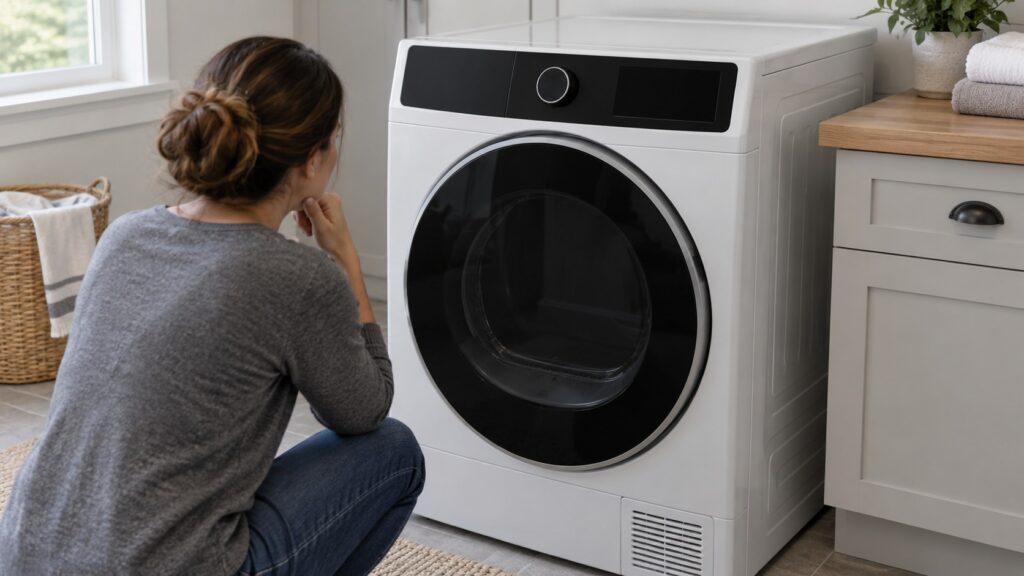
TL;DR: A KitchenAid dryer control panel that is not responding almost always has a communication problem behind it, not a dead button. The panel lives on an interface board, the heater and motor are run by a separate main control board, and when the two stop talking the dryer shows F70 or simply ignores your touch. Unplug the dryer for a full five minutes, restore power and try a cycle. If the panel is still dead, the ribbon cable or one of the boards needs a technician.
What does it mean when a KitchenAid dryer control panel stops responding?
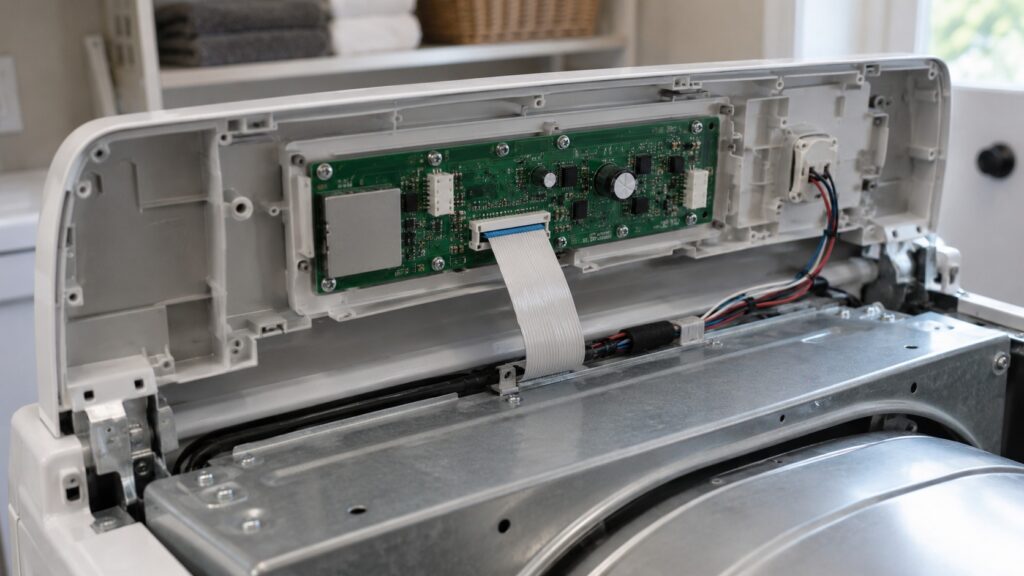
A modern KitchenAid dryer is really two small computers. The buttons, knob and display on the front belong to a user interface board. The motor, the heater and the sensors deep inside the cabinet are run by a main electronic control board. The two boards talk to each other constantly over a short internal data link, and the dryer will not act on a button press unless the message gets through intact.
When that link breaks, the front panel cannot tell the machine what you want, and the machine cannot tell the panel what it is doing. On our site that condition has its own page, the KitchenAid dryer F70 code, which describes a lost communication link between the interface and main control boards. This guide starts from the other end. You are standing in the laundry room with a dryer that will not listen, and you want to know what is actually wrong with it.
Which symptoms point to a communication fault and not a worn-out button?
A worn membrane or a sticky button fails in one spot. A communication fault fails everywhere at once, and it tends to be erratic. These patterns point to the boards losing contact:
- The display shows F70, or flickers and resets without you touching anything.
- Every button is dead, not only one or two.
- The dryer reboots itself in the middle of a cycle.
- The problem appeared right after a storm, a power outage or a voltage surge.
- The fault comes and goes, and a reset clears it for a few loads before it returns.
If instead one button never registers while everything else works, you are probably looking at a worn switch on the console and not at the data link. The intermittent behavior is the giveaway: a loose connector makes contact when the cabinet is cool and still, then loses it when the drum starts shaking things around.
What can you safely try before calling anyone?
Only the reset is a homeowner job. Everything behind the console carries line voltage, so do not pull the top or open the control area yourself.
- Unplug the dryer, or switch off its dedicated breaker, and leave it completely off for five minutes. Shorter resets often do not fully discharge the communication circuitry, so the full wait matters.
- Restore power and run a normal cycle. A transient glitch can latch the fault until both boards reinitialize, and this simple reset clears a meaningful share of F70 events.
- If it works, write down the date and what was going on in the house. If it comes back, write that down too. A short log of when the fault shows up is the most useful thing you can hand a technician.
- Check that the plug is fully seated and that the outlet or breaker is not warm or loose. A flaky supply can cause the same resets without any fault in the dryer itself.
If you own a gas model, leave the gas connection alone. Nothing about this fault calls for touching the gas line or the burner assembly.
Why do storms and power surges keep showing up in the history?
The microcontroller on the interface board is a small, delicate part. A voltage spike or a thermal event can damage it so that it no longer sends valid data, even though the board still lights up. The receiving circuit on the main board can fail the same way, and from the outside the two failures look identical. That is why a technician tests before replacing anything: the repairs are different, and ordering the wrong board is the most common reason a dryer visit turns into two visits.
If your house has had repeated outages or surges, it is worth asking the technician whether a whole-house surge protector makes sense. It does not guarantee the fault will not return, but it lowers the odds of a repeat.
Which KitchenAid dryers does this affect?
Our site lists F70 against several dryers in the Ensemble and Superba lines. The control-board arrangement is the same idea across them, so the advice here carries over:
Your model number is on the tag inside the door opening. Having it ready when you call lets the technician bring the right cable or board on the first trip.
When is it a technician visit, and is the dryer still worth fixing?
Book a visit when the five-minute reset does not hold, when F70 returns within a few loads, or when the panel stays dead after power is restored. A technician will check whether the ribbon cable is seated and undamaged, then test each board. A loose or damaged cable is a small repair. A failed interface board or main board is a bigger one, but still a part swap and not a reason to replace the whole machine.
Whether it is worth doing comes down to the dryer’s age and condition. A well-kept Superba that otherwise heats and tumbles normally is usually worth repairing. A very old dryer with a worn drum, a failing heater and a dead board is the case where replacing it starts to make sense. Our dryer repair or replace guide walks through that decision, and KitchenAid dryer repair covers what a visit includes. A dryer that has no heat at all is a different problem; see dryer not drying or no heat. When you are ready, book a visit and tell us the model number and what the panel does.