This guide explains the Kitchenaid Range F2 E0 Error: what it means, what causes it, and how to resolve it safely.
This guide explains the Kitchenaid F2 E0 Error 3: what it means, what causes it, and how to resolve it safely.
Understanding the Kitchenaid Range F2 E0 Error
Below, our specialists break down everything you need to know about the Kitchenaid Range F2 E0 Error.
Understanding the Kitchenaid F2 E0 Error 3
Below, our specialists break down everything you need to know about the Kitchenaid F2 E0 Error 3.
What F2 E0 means on your KitchenAid Range
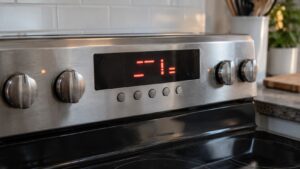
Seeing F2 E0 on the panel of a KitchenAid range means the control system has concluded that the control board detects that one or more keypad keys are registering as continuously pressed. A stuck or shorted key prevents the control from accepting normal input and will lock out cooking functions to avoid unintended operation. In plain terms, shorted key detected is what’s happening behind the scenes.
What makes a KitchenAid F2 E0 error manageable is that it almost always traces back to one of a handful of known failure points, listed below. If the short is caused by surface contamination, cleaning and a breaker reset will clear the code. A mechanically damaged touchpad will cause the code to return immediately after reset. Independent repair specialists see this exact problem regularly across the KitchenAid range lineup.
Symptoms
- The control panel displays the F2 E0 error code and refuses to clear with normal button presses.
- Power-cycling the range may clear the display temporarily, but the underlying condition can return.
- Related symptoms can include the specific issue described by “Grease or moisture bridging keypad contacts” — cooking residue or steam condensation trapped under or behind the touchpad glass creates a conductive path that simulates a pressed key.
- Cooking or heating functions tied to this problem (shorted key detected) are locked out until the code is resolved.
- In some cases you’ll also notice signs pointing toward “faulty keypad ribbon cable or connector”.
Common causes
A KitchenAid range throws this code for a short list of reasons, most of which point to one part or connection:
- Grease or moisture bridging keypad contacts. Cooking residue or steam condensation trapped under or behind the touchpad glass creates a conductive path that simulates a pressed key. This is sometimes something you can check yourself first.
- Delaminated or cracked touchpad membrane. Physical damage to the flexible membrane layer causes two conductive layers to contact each other permanently, registering a constant key press. This typically requires a technician to resolve.
- Faulty keypad ribbon cable or connector. A pinched, kinked, or corroded ribbon cable between the touchpad and control board can short two signal lines together, mimicking a stuck key. This typically requires a technician to resolve.
Troubleshooting steps you can try
Work through these checks in order — each is safe for a homeowner and helps narrow down what is causing the problem on your KitchenAid range before you call anyone.
- Clean the touchpad surface and surrounding area. Power off the range, then wipe the entire touchpad face and the seam between the touchpad and console housing with a dry microfiber cloth. Remove any grease film or sugar-based residue. Avoid liquid cleaners that can seep into the panel seam. Steam from a boiling pot placed near the control panel is the most common cause of temporary key shorts on KitchenAid ranges.
- Breaker reset after cleaning. Switch off the range breaker for three minutes, then restore power and verify the display returns to standby mode without beeping or activating a function. If the problem clears after cleaning and reset, monitor the range during the next several cooking sessions to confirm the short does not return.
When to call a technician
It is time to stop DIY and schedule service on this range when you notice:
- Touchpad membrane is visibly cracked, bubbled, or delaminated
- Code persists after thorough cleaning and multiple resets
- Ribbon cable shows kinking, corrosion, or pinch damage
If the range keeps reporting F2 E0, it is time for an experienced technician. Schedule your repair online, check other error codes, or find specs at kitchenaid.com.