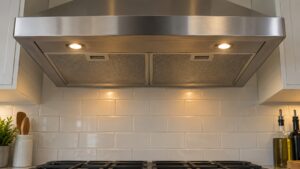
This guide explains the Kitchenaid Range Hood Light-F Error: what it means, what causes it, and how to resolve it safely.
Understanding the Kitchenaid Range Hood Light-F Error
Below, our specialists break down everything you need to know about the Kitchenaid Range Hood Light-F Error.
Understanding the Kitchenaid Light-F Error
Below, our specialists break down everything you need to know about the Kitchenaid Light-F Error.
What LIGHT-F means on your KitchenAid range hood
A LIGHT-F readout on a KitchenAid range hood isn’t random — the KitchenAid LIGHT-F error is generated only when the onboard electronics detect a specific condition tied to light Switch failure. LIGHT-F describes a condition where the lighting control is not responding normally — the switch button does nothing, the lights stay on constantly, or the lights cycle unexpectedly.
In many cases you can address this yourself first: A thorough cleaning and drying of the touch panel may clear moisture-caused problems. A hardware failure will not clear and requires service. The rest of this guide walks through the symptoms you’d expect to see alongside it, the components most commonly responsible, and what a technician checks before recommending a repair.
Symptoms
The code rarely appears in isolation — here’s what else tends to show up alongside it:
- The hood control panel or button lights up with the LIGHT-F indicator
- Fan speed drops, becomes inconsistent, or the motor fails to start
- Cooking odors, smoke, or steam linger in the kitchen instead of being pulled out
- Lighting flickers, stays off, or only partially illuminates the cooktop
Common causes
The underlying cause is not always the same appliance component — here’s what we see most:
- Light touchpad button failed shows up often behind this code. The membrane switch for the light button has failed — either stuck in the pressed position, unresponsive, or electrically shorted. This is the most common cause of unusual light behavior. Diagnosing this reliably usually requires test equipment a typical kitchen doesn’t have on hand.
- Control board light relay stuck — The relay on the control board that switches the LED driver has welded contacts, keeping the lights on permanently. Less common but produces the same visual symptom. Left to a specialist, this is usually confirmed with a multimeter or manufacturer diagnostic mode rather than guesswork.
- Touch panel moisture contamination is one of the more frequent triggers. Water or cleaning solution under the touch panel bezel can short the light button circuit and produce erratic behavior. Drying out often resolves the issue. A homeowner can usually check for this in a few minutes with no special tools.
Troubleshooting steps you can try
The steps below are safe to try yourself and, in some cases, clear the range hood problem outright. Do them in sequence and stop if anything seems unsafe.
- Clean the touch panel and let dry: Disconnect power. Wipe the touch panel with a lightly damp cloth and dry thoroughly. Do not spray cleaner directly on the controls. Wait thirty minutes with power off to allow any trapped moisture to evaporate. Steam from cooking can condense on the touch panel and cause random button activation — regular cleaning helps prevent this.
- Use the breaker to control lights as a temporary workaround. If the lights are stuck on and cleaning does not help, use the breaker to turn them off until service can repair the touchpad. Avoid leaving lights on for extended periods as LED driver components can overheat. A dedicated range hood breaker is much easier to use as a workaround than fiddling with a failing touch button.
When to call a technician
Bring in a specialist for your range hood if any of the following apply:
- Touchpad replacement clears the problem
- Light relay on control board tested as stuck-closed
- Erratic behavior persisting after thorough cleaning
Since this particular code often clears with a simple reset, give that a try first — but don’t keep resetting past the point where the same problem keeps returning within a day or two. If you’d rather not troubleshoot a KitchenAid range hood yourself, schedule a visit with our team, or browse our full error code library for related problems. For manufacturer specifications on your exact model, KitchenAid’s own site at kitchenaid.com is a useful reference, though our technicians are independent specialists and not affiliated with the manufacturer.
Before any appointment, jot down the exact code text, when it first appeared, and what you already tried — that short history lets an experienced technician arrive with the likely part already in hand instead of needing a second visit just to diagnose the problem.