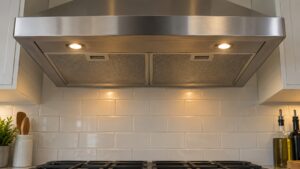
This guide explains the Kitchenaid Range Hood Speed-F Error: what it means, what causes it, and how to resolve it safely.
Understanding the Kitchenaid Range Hood Speed-F Error
Below, our specialists break down everything you need to know about the Kitchenaid Range Hood Speed-F Error.
Understanding the Kitchenaid Speed-F Error
Below, our specialists break down everything you need to know about the Kitchenaid Speed-F Error.
What SPEED-F means on your KitchenAid range hood
On a KitchenAid range hood, the SPEED-F code is the appliance’s own language for describing fan Speed Control failure. SPEED-F describes a condition where the range hood fan speed cannot be adjusted through the touch controls, or the fan runs at a fixed speed regardless of the selected setting. Understanding that distinction is the first step before the KitchenAid SPEED-F error can be resolved.
This is one of the more forgiving codes to deal with initially — a breaker reset clears transient SPEED-F events. Persistent problems after a reset indicate hardware failure requiring service. The rest of this guide walks through the symptoms you’d expect to see alongside it, the components most commonly responsible, and what a technician checks before recommending a repair.
Symptoms
The code rarely appears in isolation — here’s what else tends to show up alongside it:
- The hood control panel or button lights up with the SPEED-F indicator
- Fan speed drops, becomes inconsistent, or the motor fails to start
- Cooking odors, smoke, or steam linger in the kitchen instead of being pulled out
- Lighting flickers, stays off, or only partially illuminates the cooktop
- Unusual vibration, rattling, or grinding noise comes from the hood housing
Common causes
A handful of distinct failure paths can produce this same code, ranging from simple to involved:
- Technicians also see fan speed control module failed lead to this code. The variable speed drive on the main control board has failed in a fixed-speed state, usually because a driver component has shorted or opened. Affects all speed settings simultaneously. This one generally isn’t a homeowner fix and calls for a trained eye.
- Speed selection buttons failed — The membrane switches for the speed buttons have failed unresponsive, typically due to aging or moisture exposure. The control cannot receive user input. Diagnosing this reliably usually requires test equipment a typical kitchen doesn’t have on hand.
- Motor tachometer feedback failure shows up often behind this code. On variable-speed hoods with closed-loop control, the tachometer that reports actual motor speed has failed, so the control cannot regulate speed normally and defaults to a fixed value. This one generally isn’t a homeowner fix and calls for a trained eye.
Troubleshooting steps you can try
Start with the simplest checks first. Each of the following is safe on a KitchenAid range hood and can point you toward the failing part.
- Power cycle at the breaker. Switch off the hood breaker for five minutes, then restore power. Try each fan speed button. A transient control board glitch can latch SPEED-F even after the underlying issue clears. If speed control returns after a reset and stays working for days or weeks, the problem was a transient glitch. Recurrence within the same day points to hardware.
- Use whatever speed is available until service: If the fan runs at a fixed speed, use it during cooking if that speed is adequate. The ventilation function is still working, just not adjustable. Schedule service to restore full functionality. A fan stuck on high is usable but noisier than normal. A fan stuck on low may not provide adequate ventilation for heavy cooking.
When to call a technician
Certain range hood conditions are not safe or practical to fix yourself — call a professional if:
- Control board replacement restores speed control
- Touchpad replacement needed for failed speed buttons
- Motor tachometer output missing at the board connector
Since this particular code often clears with a simple reset, give that a try first — but don’t keep resetting past the point where the same problem keeps returning within a day or two. If you’d rather not troubleshoot a KitchenAid range hood yourself, schedule a visit with our team, or browse our full error code library for related problems. For manufacturer specifications on your exact model, KitchenAid’s own site at kitchenaid.com is a useful reference, though our technicians are independent specialists and not affiliated with the manufacturer.
Before any appointment, jot down the exact code text, when it first appeared, and what you already tried — that short history lets an experienced technician arrive with the likely part already in hand instead of needing a second visit just to diagnose the problem.