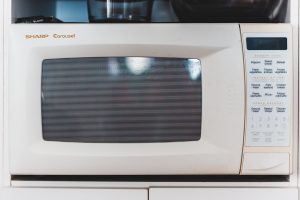
This guide explains the Kitchenaid Microwave F9 Error: what it means, what causes it, and how to resolve it safely.
This guide explains the Kitchenaid F9 Error 2: what it means, what causes it, and how to resolve it safely.
Understanding the Kitchenaid Microwave F9 Error
Below, our specialists break down everything you need to know about the Kitchenaid Microwave F9 Error.
Understanding the Kitchenaid F9 Error 2
Below, our specialists break down everything you need to know about the Kitchenaid F9 Error 2.
What F9 means on your KitchenAid Microwave
Seeing F9 on the panel of a KitchenAid microwave means the control system has concluded that a communication loss between the display control board and the main power board. Without valid communication the microwave cannot safely accept cooking commands. The short version, sometimes shown on diagnostic mode as “Communication Loss”, is communication loss.
What makes a KitchenAid F9 error manageable is that it almost always traces back to one of a handful of known failure points, listed below. A full power reset clears transient F9 events. A persistent problem after a proper reset requires service. Independent repair specialists see this exact problem regularly across the KitchenAid range lineup.
Symptoms
- The control panel displays the F9 error code and refuses to clear with normal button presses.
- Power-cycling the microwave may clear the display temporarily, but the underlying condition can return.
- Related symptoms can include the specific issue described by “Loose or damaged ribbon cable between boards” — the ribbon or multi-wire harness connecting the display control to the main power board has worked loose, been damaged during service, or has developed a broken conductor.
- Cooking or heating functions tied to this problem (communication loss) are locked out until the code is resolved.
- In some cases you’ll also notice signs pointing toward “main board serial receiver circuit failure”.
Common causes
Three failure paths typically explain a F9 reading on a KitchenAid microwave:
- Loose or damaged ribbon cable between boards. The ribbon or multi-wire harness connecting the display control to the main power board has worked loose, been damaged during service, or has developed a broken conductor. This is sometimes something you can check yourself first.
- Failed display control microcontroller. The microcontroller on the display board has failed and stopped transmitting over the internal serial bus, usually after long-term operation or a voltage event. This typically requires a technician to resolve.
- Main board serial receiver circuit failure. The receiving circuit on the main power board has failed and no longer acknowledges messages from the display, producing the same symptom as a failed display board. This typically requires a technician to resolve.
Troubleshooting steps you can try
The steps below are safe to try yourself and, in some cases, clear the microwave problem outright. Do them in sequence and stop if anything seems unsafe.
- Unplug for five minutes and restore power. Disconnect the microwave from its power source for five minutes, then restore power. A transient communication glitch can latch F9 even after the underlying issue clears — a full reset forces both boards to re-establish their serial link from scratch. Keep notes on how long the reset lasts before F9 returns. A same-day recurrence means hardware failure; a return after weeks points at marginal contacts that may be reseatable.
- Do not continue using the microwave with F9 displayed. Because the main board is not receiving reliable commands, there is no assurance that pressing Cancel will actually stop an active cycle. Do not start any cook cycles while F9 is displayed. If a cycle is already running when F9 appears, unplug or switch off the breaker rather than trusting the touchpad to cancel it.
When to call a technician
Certain microwave conditions are not safe or practical to fix yourself — call a professional if:
- Ribbon cable reseating does not clear the problem
- Replacing either board alone does not clear the problem — points to a wiring or connector issue
- Voltage measurements show missing serial signals on one end of the link
When the F9 error persists after these steps, an experienced technician should take over. You can schedule service in minutes, review other microwave error codes, or check specs at kitchenaid.com.