Replacing a KitchenAid range hood light bulb takes about ten minutes and needs no special tools, but two details decide whether it goes smoothly: the bulb has to be cool, and the replacement has to be the same type and no higher in wattage than the label allows. Turn the hood off at the switch and the breaker, let the old bulb cool, remove the lens, swap in the matching bulb and test it. If the new bulb does not light, the fault is further back, in the socket, the switch or the control.
How do you tell which kind of light your KitchenAid range hood has?
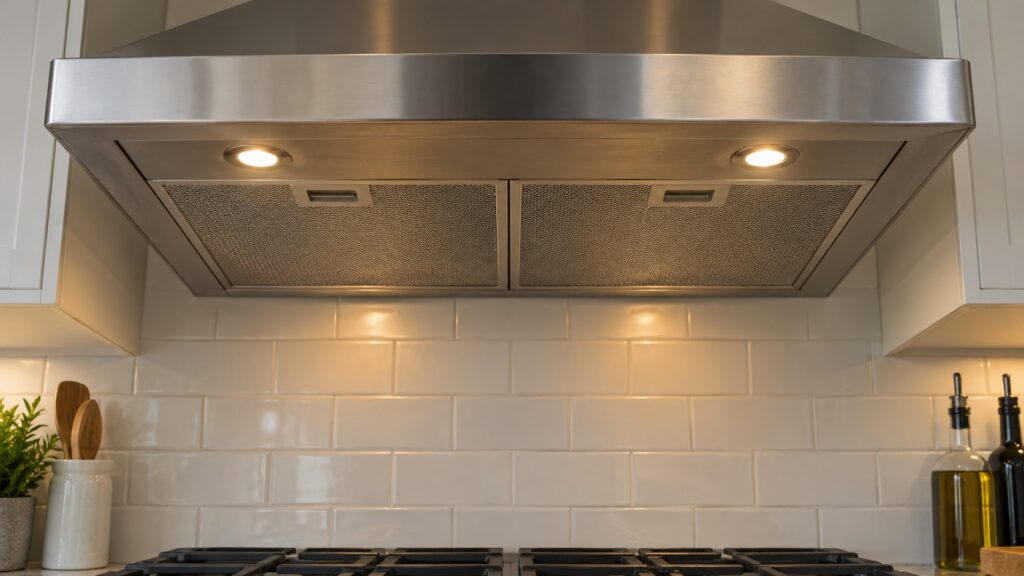
KitchenAid hoods have used more than one kind of lighting over the years, and the replacement steps differ. Look at the light after the hood has been off and cool for a while. Under the lens you will find one of three things:
- A small halogen or incandescent bulb in a socket. It is a replaceable glass bulb with two pins or a screw base.
- An LED module that looks like a flat disc or a strip and has no separate bulb. The whole module is one part and is replaced as a unit, which is why a plain bulb from a hardware store will not fit it.
- A cover panel that hides the light, which you can only reach by removing a filter or a trim piece first.
The fastest way to be certain is to check the use and care guide for your model. If you only have the model number, which is on a label inside the hood near the filters, our page on the KitchenAid range hood LED-OUT message explains what the control reports when an LED light has failed.
Is it safe to replace a range hood bulb yourself?
Yes, with the power off and the bulb cool. A halogen bulb runs hot enough to burn your fingers long after you switch it off, and the hood sits directly above a cooktop that may still be warm. Work on a stable stepladder, not on a chair, and keep one hand free to steady yourself.
The wiring behind the hood carries mains power, so the switch on the hood is not enough. Turn off the breaker for the circuit that feeds the hood, or at least confirm that the light and fan are both dead before you reach up. If your hood is mounted under a cabinet and you cannot see the socket clearly, a flashlight in your other hand is safer than guessing.
How do you replace the bulb step by step?
- Power off and cool down. Switch off the hood, switch off the breaker and wait at least fifteen minutes if the light was on recently.
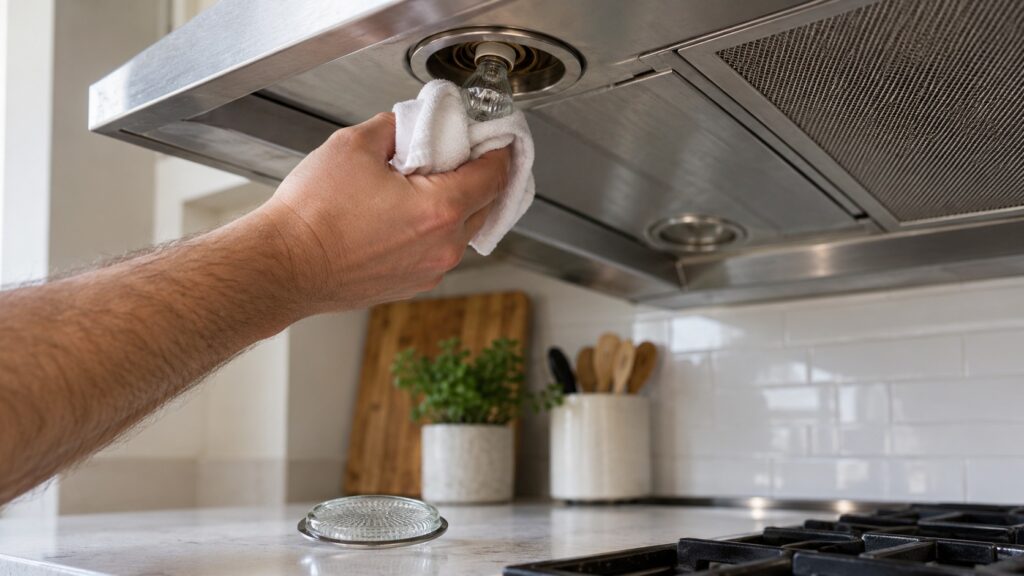
- Remove the lens or cover. Depending on the model, it twists off, pops out with a gentle pull or is held by a small screw. Do not force it. If the lens will not release, look again for a screw or a clip.
- Take out the old bulb. Pull a pin-style bulb straight out, or unscrew a screw-base bulb counterclockwise. Wrap a cloth around it if it is hot.
- Match the new bulb. Compare shape, base and wattage. A bulb that is slightly different may fit and still overheat the socket or the lens.
- Install the new bulb. Handle halogen glass only through a cloth, push it in squarely and avoid touching the glass.
- Refit the lens, restore power and test. Turn the breaker on, then the light switch. Test both the high and the low light setting if your hood has them.
If your hood has a sealed LED module, the steps change: the module itself has to be unplugged from its connector and replaced with the exact part for your model. That is a repair, not a bulb change, and it is worth booking if you are not comfortable with the connector.
What if the new bulb does not light?
Work through the simple points first. Check that the bulb is seated fully and that the base touches the contacts. Make sure the breaker is on and that the fan runs, which tells you the hood has power. Try the light on both settings. If the fan runs but the light does not, the socket, the light switch or the control may be at fault.
A hood whose display reports a light problem is telling you the same thing. On our site the KitchenAid range hood LIGHT-F message points to a light switch failure, which a new bulb will not fix. For the full list of reasons a hood fan or light stops working, read range hood fan or light not working.
What else is worth doing while the hood is open?
The light is the best reason to do the rest of a quick service, because the cover is already off and you can see how greasy the hood has become.
- Wash the grease filters. Grease filters usually come out with a latch or a pull tab. Soak them in hot, soapy water, brush them gently and let them dry completely. Many are dishwasher safe, but check your manual first.
- Wipe the lens and the housing. A mild degreaser and a soft cloth work well. Avoid abrasive pads, which scratch stainless steel and glass.
- Check the charcoal filter on a ductless model. Charcoal filters are replaced, not washed.
- Look at the fan. Listen for a rattle or a wobble when you run it on high.
Our guide to how to maintain your KitchenAid range hood sets out a monthly and a yearly routine so the light, the filters and the fan stay in good shape.
When should you call a technician?
Call if the light stays dark after a correct bulb change, if the bulb blows again within days, if the lens or socket looks melted or discolored, or if the hood trips the breaker. Those signs point to a socket or wiring problem, and they are not safe to work around. Our KitchenAid range hood repair technicians test the socket, the switch and the control and replace the failed part. We are an independent repair company, not a factory service arm, and we will tell you when a repair is not worth doing. You can book a visit and mention the model number printed inside the hood.